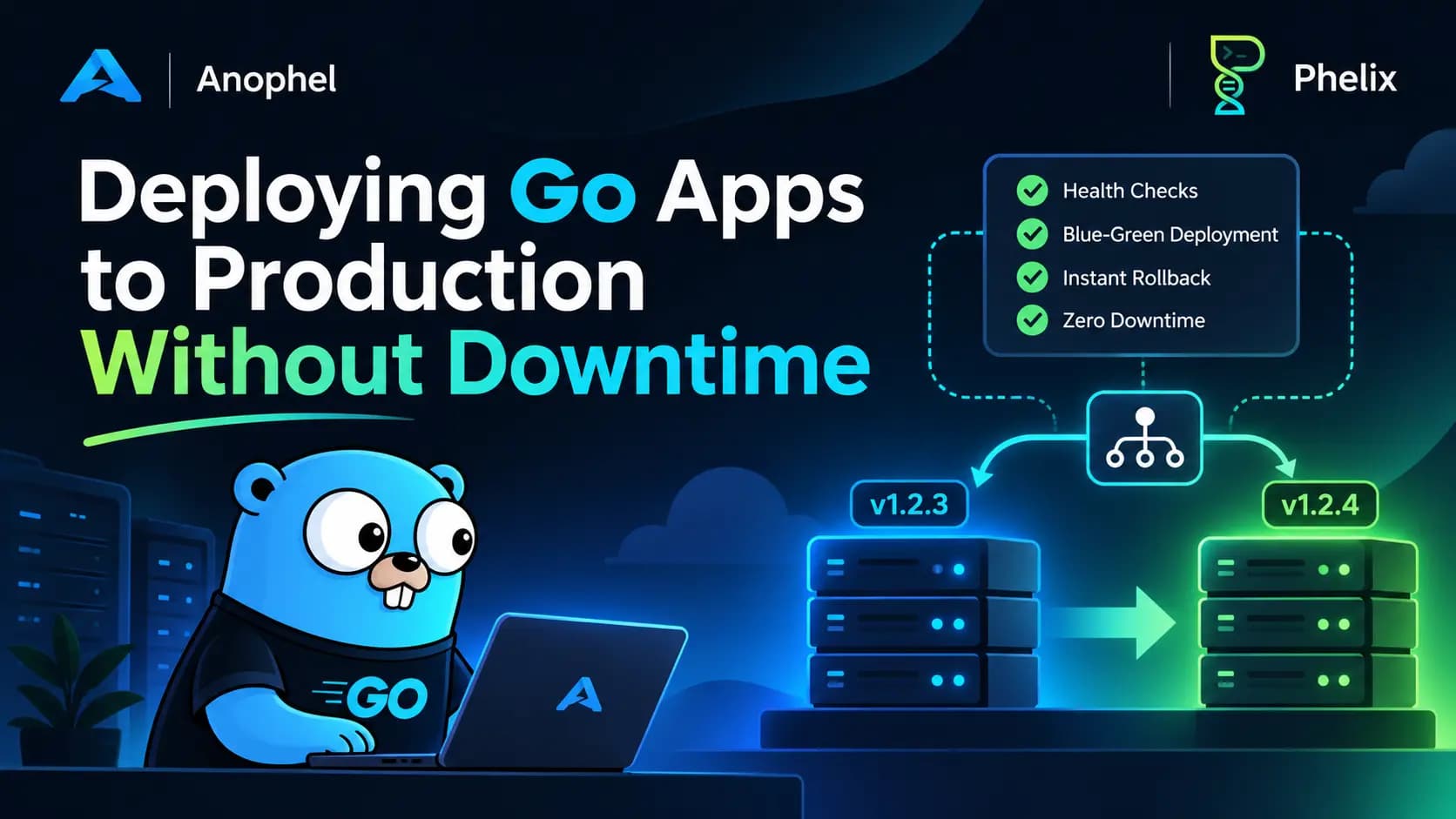
Go is great at producing one thing: a single static binary. You run go build, copy the file to a server, start it, and you are live. That is a big part of why people love the language.
Then you ship a change.
Now there is a process serving real users, and you have to replace it. Do it carelessly and some requests fail. Do it with a broken build and the whole service goes down. Realize the new version is bad and you find out that the old binary is gone because you overwrote it. Go does not help with any of this, because none of it is a language problem. It is a deployment problem, and Go leaves it entirely to you.
This article walks through what actually goes wrong when you deploy Go services, what your code can do to help, and where a tool like Phelix fits in. Phelix is a CLI I built for exactly this gap, so I will be specific about the problems it targets and honest about where it is the wrong choice.
Go gives you a binary, not a deployment
Here is what a typical first deploy script for a Go service looks like. Plenty of production systems still run on something very close to it:
#!/usr/bin/env bash
set -e
git pull
go build -o /srv/myapp/myapp .
sudo systemctl restart myapp
It works, and it is fine for a side project. It also hides a long list of problems that only show up when the service starts to matter.
1. Every restart drops requests. systemctl restart stops the old process and starts the new one. Between those two moments nothing is listening. Even a gap of a second means failed requests, broken websocket connections, and interrupted uploads. Users do not read your changelog, they just see an error.
2. A bad build goes live immediately. The script has no idea whether the new binary is healthy. If it crashes on startup, or starts but cannot reach the database, you have just replaced a working service with a broken one. The first person to notice is a customer.
3. There is no real version history. The build overwrote /srv/myapp/myapp. To roll back you have to find the right commit, rebuild it, and redeploy under pressure. If the toolchain or a dependency changed in between, you may not even get the same binary back.
4. The binary and its configuration drift apart. Rolling the code back does not roll back the environment variables it expects. A release that needs a new variable, or a changed value, leaves you with a "rolled back" service that still fails because the config moved forward and the code did not.
5. Scripts fail halfway. set -e stops the script on error, but it does not clean up. A failed build, a failed copy, or a failed restart can leave the host in a state that is neither the old version nor the new one. Nobody wrote the recovery logic, because nobody planned for that failure.
6. Secrets end up in plain files. Environment variables often live in a .env file next to the binary, readable by anyone with access to the host and easy to copy into a backup, a log, or a chat message.
7. The glue grows. To fix the points above you add a reverse proxy for cutover, a health check script, a cron job to clean old builds, a webhook listener for deploy-on-push, and a rollback script. Each piece is reasonable. Together they become a small deployment platform that you maintain, document, and debug at 2 a.m.
8. Kubernetes is a lot for this. The usual answer to all of the above is "use Kubernetes". For a team running a handful of services on one or two hosts, that trades a few scripts for a whole cluster, a new operational skill set, and a bigger bill. Sometimes that is right. Often it is not.
This is the gap. Go itself is simple, but the thing around it is not, and most small teams end up building that thing by hand, slowly, after an incident.
What your Go code can do to help
Before talking about tools, there is a part that no tool can do for you: your service has to behave well when it is started and stopped. There are three habits that matter most.
Shut down gracefully
When a deploy tool retires an old instance, it asks it to stop. If your program ignores that request, any request in flight is cut off. Catching the signal and calling http.Server.Shutdown lets active requests finish first:
package main

import (
	"context"
	"errors"
	"log/slog"
	"net"
	"net/http"
	"os"
	"os/signal"
	"sync/atomic"
	"syscall"
	"time"
)

var version = "dev" // set with -ldflags "-X main.version=..."

func main() {
	logger := slog.New(slog.NewJSONHandler(os.Stdout, nil))

	port := os.Getenv("PORT")
	if port == "" {
		port = "8080"
	}

	var ready atomic.Bool

	mux := http.NewServeMux()
	mux.HandleFunc("GET /healthz", func(w http.ResponseWriter, r *http.Request) {
		w.WriteHeader(http.StatusOK)
	})
	mux.HandleFunc("GET /readyz", func(w http.ResponseWriter, r *http.Request) {
		if !ready.Load() {
			http.Error(w, "not ready", http.StatusServiceUnavailable)
			return
		}
		w.WriteHeader(http.StatusOK)
	})
	mux.HandleFunc("GET /", func(w http.ResponseWriter, r *http.Request) {
		_, _ = w.Write([]byte("hello from " + version))
	})

	srv := &http.Server{
		Handler:           mux,
		ReadHeaderTimeout: 5 * time.Second,
		IdleTimeout:       60 * time.Second,
	}

	ctx, stop := signal.NotifyContext(context.Background(), syscall.SIGINT, syscall.SIGTERM)
	defer stop()

	ln, err := net.Listen("tcp", ":"+port)
	if err != nil {
		logger.Error("listen failed", "err", err)
		os.Exit(1)
	}

	go func() {
		ready.Store(true)
		logger.Info("serving", "port", port, "version", version)
		if err := srv.Serve(ln); err != nil && !errors.Is(err, http.ErrServerClosed) {
			logger.Error("server error", "err", err)
			stop()
		}
	}()

	<-ctx.Done()
	ready.Store(false)

	shutdownCtx, cancel := context.WithTimeout(context.Background(), 15*time.Second)
	defer cancel()
	if err := srv.Shutdown(shutdownCtx); err != nil {
		logger.Error("forced shutdown", "err", err)
		os.Exit(1)
	}
}
Two details worth keeping: bind the listener before you report ready, so "ready" never lies, and always give Shutdown a deadline, so one stuck handler cannot hang the stop forever.
Expose honest health endpoints
Liveness ("is the process alive?") and readiness ("should it get traffic right now?") are different questions. Keep /healthz trivial and put downstream checks, like the database, in /readyz. If you tie liveness to the database, a brief outage there makes everything restart at once and turns a blip into an incident.
Take your port from the environment
Hardcoding :8080 breaks the moment two versions of the service need to run side by side, which is exactly what a zero-downtime deploy requires. Read PORT, fall back to a default only for local development, and let whatever starts the process decide where it listens.
Stamp every build with a version
go build -trimpath \
  -ldflags "-s -w -X main.version=$(git describe --tags --always --dirty)" \
  -o bin/myapp .
Now the running binary can tell you what it is. That is the first step toward rolling back to something specific rather than "whatever was there before".
Why a deployment tool, and not more scripts
With those habits in place, the service is a good citizen. What remains is the orchestration: running two versions at once, checking the new one, moving traffic, remembering what came before, and going back when needed. That is the part most teams script by hand and the part Phelix owns.
Phelix is a single-binary CLI, written in Go, for building, running, versioning, and deploying Go and Rust applications on a host. It does not replace your code or ask you to adopt a platform. It takes the eight problems above and turns each one into a built-in behavior. For a longer introduction to the project, see Phelix: A CLI for Deploying Go and Rust Apps.
Problem: restarts drop requests. Phelix: blue-green cutover through a proxy
Phelix runs a long-lived phelix proxy that owns the public port. When you rebuild, the new version starts on its own port while the old one keeps serving. The proxy switches targets only when the new version is ready, and the switch is atomic, so there is no moment where nothing is listening.
phelix rebuild myapp --blue-greenIf you prefer rolling updates across several instances, use --replicas instead. The mechanics of the cutover are covered in depth in our blue-green deployment guide for Go and Rust.
Problem: a bad build goes live. Phelix: health gating before promotion
A version only becomes the current one after it passes a health check. A candidate that never becomes healthy never touches the live instance, so a broken deploy cannot replace a working one.
Not every service has a /healthz, and Phelix does not pretend otherwise. The check is tiered: it can require a 2xx on a path you choose, accept any HTTP response, fall back to a plain TCP connect, or just confirm the process is alive. If you followed the endpoints above, you get the strictest check. If you are deploying an older service, you still get a gate.
Problem: no version history. Phelix: every build is a numbered version
Every build is recorded as v1, v2, v3, and so on, with an optional --tag. You never overwrite the thing you might need to go back to.
phelix build myapp --port 8080 --tag stable-candidateProblem: code and config drift apart. Phelix: binary and env are snapshotted together
Each version stores its binary and its encrypted environment as a pair. Rolling back restores both, so you go back to the configuration the code was built to run with, not a mismatched mix.
Problem: rollback is slow and stressful. Phelix: rollback is a normal command
# Back to the previous version
phelix rollback myapp

# Pick a specific version and preview the result first
phelix rollback myapp --to v7 --dry-run
Rollback goes through the same safe deploy path as a forward deploy, so it gets the same health gating. You can also have Phelix roll back automatically when a deploy fails (--auto-rollback) and watch live traffic for a verification window afterwards (--verify) before it declares success. Every rollback is recorded with its reason, which gives you an audit trail instead of a guess about what happened last Tuesday.
Problem: you want to test with real traffic first. Phelix: canary releases
phelix rebuild myapp --canary 5This sends 5 percent of traffic to the new version, compares its health and metrics against the stable one, and can roll back automatically on a regression. You find out about a bad release while it is still affecting a small slice of users.
Problem: scripts fail halfway. Phelix: fail-safe by construction
The deploy engine is built so that the active release only changes after the new version has passed its check. A failure during build or startup leaves the current version exactly as it was. There is no half-deployed state to untangle, because promotion is the last step, not the first.
Problem: secrets in plain files. Phelix: encrypted environment variables
Environment variables are encrypted at rest with AES-256-GCM, injected when the app starts, and never logged in plaintext. Because they are versioned with each build, they roll back together with the code.
Problem: the glue keeps growing. Phelix: it is the glue
Several things you would otherwise script are already part of the CLI:
- Deploy on push.
phelix webhooklistens for Git push webhooks, verifies the HMAC signature, and deploys the exact pushed commit through the normal rebuild pipeline. - Docker, when you want it.
phelix dockerizegenerates optimized multi-stage Dockerfiles, and Phelix can also run instances as containers under the same proxy. - Resource limits. Per-instance CPU and memory limits through cgroups v2 on Linux.
- Build matrices. One command builds across Go versions and platforms, with SHA-256 checksums for each artifact:
phelix build myapp --matrix --go-versions 1.26,1.27 --platforms linux/amd64,linux/arm64- Build reports. Every build is compared against recent ones, and Phelix flags regressions like binary size growth or slower builds. It all runs locally.
- Diagnostics.
phelix doctorchecks that your environment and your app meet what Phelix expects, including thePORTcontract.
Problem: Kubernetes is too much. Phelix: one binary on the host
Phelix is not a cluster. It is one binary that runs on the host and keeps its state on disk. There is nothing to bootstrap and nothing to keep upgraded across nodes. It is built for the space between "a shell script" and "a Kubernetes cluster".
How the pieces fit together
Under the hood, Phelix is a single Cobra binary. Thin commands orchestrate domain packages, and all runtime state lives on disk under ~/.phelix/:
your app → phelix CLI → build / deploy engine → runtime (host process or container)
                                │                        │
                                ▼                        ▼
                     versioned state on disk      phelix proxy (public port)
                                                         │
                                                         ▼
                                       optional gRPC monitoring → dashboard
It is offline-first. Build, run, deploy, and rollback work with no account and no network. Logging in only turns on optional dashboard sync, and nothing leaves your machine until you opt in for a given app.
Phelix vs. scripts vs. Kubernetes
| Shell scripts | Phelix | Kubernetes | |
|---|---|---|---|
| Setup effort | Low at first, grows over time | One binary and phelix init | High |
| Zero-downtime deploys | You build it | Built in | Built in |
| Versioned builds and rollback | You build it | Built in | Via image tags and rollout history |
| Health-gated promotion | You build it | Built in | Built in |
| Operational overhead | Your scripts | One CLI on the host | A cluster to run and upgrade |
| Best for | Hobby projects | Single host or small fleet, Go and Rust | Large, multi-node, multi-team systems |
Phelix is not the right tool everywhere. If you already run a mature Kubernetes platform, or you deploy dozens of services across many nodes with a dedicated platform team, you probably do not need it. It is aimed at solo developers, small teams, and startups who want real deployment safety without running a cluster.
Try it on a small service
Install it (Linux is the main target, with experimental Windows support):
curl -fsSL https://phelix.anophel.com/install.sh | bash
phelix version
Then, from a Go project directory:
phelix init                          # create phelix.yaml
phelix build myapp --port 8080       # build and run
phelix rebuild myapp --blue-green    # deploy a change with no downtime
phelix rollback myapp                # go back if needed
The one requirement is that your app reads its port from PORT, as in the example above. The PORT contract docs explain why, and phelix doctor will tell you if something is off.
Phelix is source-available under the Functional Source License (FSL-1.1-ALv2), and each release converts to Apache 2.0 two years after it ships. You can read the code on GitHub and find the full documentation at phelix.anophel.com/docs.
Frequently asked questions
Do I need Docker or Kubernetes to deploy a Go app without downtime?
No. Zero downtime needs a way to run two versions at once, a health check, and a proxy that switches traffic atomically. Phelix provides all three on a single host, and Docker is optional.
What happens if the new version fails its health check?
It never receives traffic. The proxy keeps sending requests to the current version, so a failed candidate does not affect users. You can also enable automatic rollback and a verification window for extra safety.
Does my Go app need to change to work with Phelix?
Only one thing: it must read its port from the PORT environment variable. Health endpoints and graceful shutdown are strongly recommended, but Phelix can still gate a deploy on a TCP connect or process check if you do not have them yet.
Can I roll back to any previous version?
You can roll back to any retained version, and preview the result with --dry-run first. How many versions are kept depends on your plan.
Does Phelix work with Rust too?
Yes. It builds, versions, and deploys both Go and Rust, and the same commands apply to both.
Is Phelix free?
The CLI is source-available and works offline without an account. The optional dashboard has tiered plans. Check phelix.anophel.com for current details.
Wrapping up
Go makes building easy and leaves deploying to you. The hard parts are not the compile step. They are the restart gap, the unchecked release, the missing history, and the rollback you have never actually tested. You can script your way through all of that, and many teams do, but the scripts become a product of their own.
If you would rather not maintain that product, Phelix packages the deployment half into a single CLI that runs on your host. Try it on one small service, read the source, and tell me where it falls short. Feedback from real Go deployments is the most useful input the project gets.
Related reading