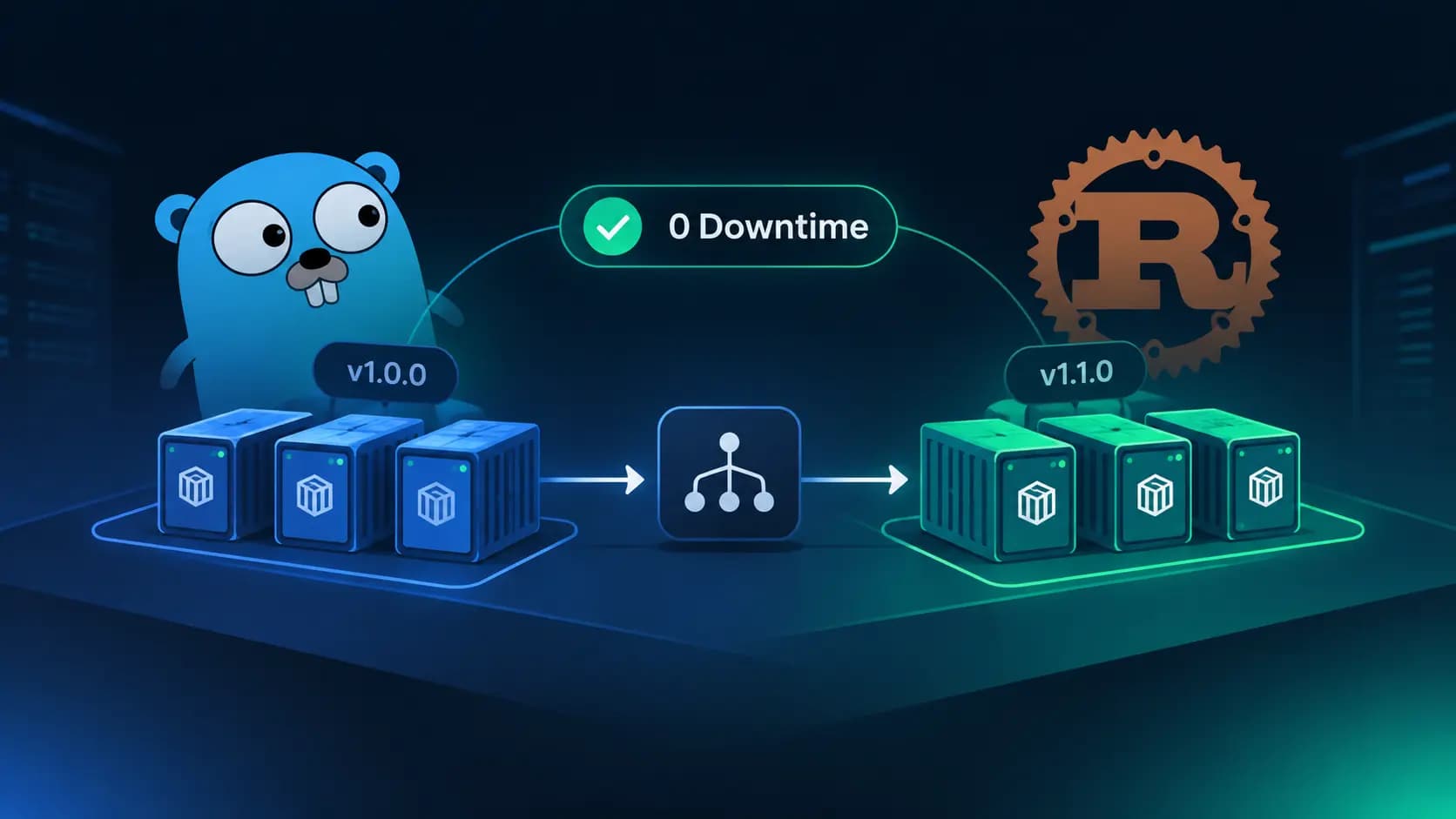
If you have ever restarted a single service process in production and watched the error rate spike for a few seconds, you already understand the problem replicas solve. One process means one point of failure, and every deploy, crash, or out-of-memory kill turns into a small outage.
Running more than one copy of your service fixes that, but only if you do it properly. Starting three processes is easy. Getting traffic to flow only to the healthy ones, replacing them one at a time without losing capacity, and finishing in-flight requests before a process exits is where the real work is.
This article goes through that work in detail. We will cover how replicas are structured, how traffic is distributed, what a correct rolling update looks like, the capacity math people forget, and the application-level behaviors that make it all safe. The code examples are in Go and Rust, and near the end we will look at how Phelix runs the whole thing with one command.
If you want the single-instance version of this story first, read our guide to blue-green deployment and zero-downtime releases for Go and Rust. The two strategies complement each other, and we will compare them below.
What a replica actually is
A replica is one running instance of the same version of your application, serving the same kind of traffic as its siblings. If you run api with three replicas, you have three processes, each listening on its own port, each built from the same binary and started with the same configuration.
A few properties define a proper replica set:
- Interchangeable. Any replica can serve any request. If request A hits replica 1 and request B from the same user hits replica 3, the user should not notice.
- Independent. Replicas do not share memory. If one crashes, the others keep running.
- Identical in version (most of the time). Outside of a deploy, every replica runs the same build. During a rolling update there is a short window where two versions coexist, and we will spend a whole section on what that implies.
What replicas are not: they are not a backup. A standby that sits idle until the primary fails is a different pattern. Replicas are all live and all serving, which is why they also buy you throughput and not just availability.
Why replicas matter for zero-downtime deploys
Zero downtime has a strict meaning: during the whole release, every request that arrives is either served by a healthy instance or briefly held and then served. No refused connections, no requests cut off halfway.
With a single instance, that goal is only reachable with a trick, usually starting a second copy next to the first (that is blue-green). With replicas, the capacity to absorb a restart is already built in. You take one replica out of rotation, replace it, put it back, and repeat. At every moment at least some replicas are serving.
Replicas close three separate gaps:
- The restart gap. Between the old process stopping and the new one accepting connections, nobody is home.
- The deploy gap. Compile time, migrations, and warm-up happen while the old version is still needed.
- The failure gap. Processes crash. With one instance, a crash is an outage. With several, it is a blip that the load balancer routes around.
One honest caveat before we go on. Replicas on a single host protect you from process-level failures and make deploys smooth, but they do not protect you from the host going away. If you need host-level redundancy, the same ideas apply across machines, but you need a load balancer in front of the hosts as well.
Anatomy of a replicated service
Let us break the system into its moving parts. Every replica setup, whether it is Kubernetes, a hand-rolled script, or a tool like Phelix, has the same five components.
1. Instances with their own ports
Replicas on one host cannot all bind to :8080. Each needs a distinct port, and the application has to accept that port from outside rather than hardcoding it. The standard contract is a PORT environment variable. Whoever launches the process picks a free port, exports it, and records it.
This sounds trivial, but it is the single most common reason an app cannot be replicated. If your code says ListenAndServe(":8080", ...), the second replica fails with address already in use.
2. An instance registry
Something has to know which instances exist, which port each one uses, which version each one runs, and whether each one is healthy. That is the registry. In a small setup it is an in-memory table owned by the proxy or the supervisor. In a large setup it is a service discovery system. The important point is that there is exactly one source of truth, and the router reads from it.
3. A single entry point
Clients talk to one address. Behind it, something fans requests out to the replicas. There are two common designs:
- A userspace reverse proxy (nginx, HAProxy, Caddy, Envoy, or a small Go proxy). It accepts the client connection and opens its own connection to a chosen replica. This gives you full control: you can skip unhealthy replicas, drain a replica gracefully, retry on connection errors, and swap the whole target set atomically.
- Kernel-level sharing with
SO_REUSEPORT. Several processes bind the same port and the kernel distributes new connections across them. It is fast and needs no proxy hop, but the kernel knows nothing about health or draining. A crashed or draining process is still a valid target until it closes its socket, and you have little control over rollout order.
For deploys, the proxy design wins almost every time. Draining and health-based routing are exactly what a rolling update needs, and SO_REUSEPORT cannot do either.
4. A load balancing policy
How the proxy picks a replica matters more than people expect.
| Policy | How it picks | Strength | Weakness |
|---|---|---|---|
| Round robin | Next replica in order | Simple, predictable | Ignores load, so one slow replica keeps receiving its share |
| Least connections | Replica with fewest in-flight requests | Adapts to uneven request cost | Needs accurate in-flight tracking |
| Power of two choices | Pick two at random, take the less loaded | Near-optimal with very little state | Slightly harder to reason about |
| Hash-based (client IP, header) | Deterministic from a key | Cache locality, soft stickiness | Skews when keys are uneven, reshuffles when replicas change |
Round robin is fine when requests are uniform and short. If you mix cheap health pings with expensive report endpoints, least connections or power of two choices will give you noticeably better tail latency. Avoid sticky routing unless you truly need it. It makes draining harder and hides state-in-memory bugs until a replica restarts.
5. A health model
Health checks answer a question the router must be able to ask at any time: can this replica take traffic right now? It helps to separate two ideas:
- Liveness: is the process alive and not wedged? A failing liveness check usually means "restart it."
- Readiness: is the process ready to serve requests? A failing readiness check means "stop sending traffic, but do not necessarily kill it."
Readiness is the one that matters for zero-downtime. A replica that is still loading a cache, running a migration, or draining for shutdown is alive but not ready, and the router should leave it alone.
Two practical details:
- Use hysteresis. Require a few consecutive failures before ejecting a replica and a few consecutive successes before readmitting it. One slow response should not flap a replica in and out of rotation.
- Match the check to the app. Not every service has a
/healthzroute. A tiered approach helps: an HTTP 2xx check when you have a real endpoint, any HTTP response when you only need to know the server is answering, a plain TCP connect when you do not speak HTTP, and a PID check as the last resort.
Making the application replica-friendly
The deployment tool can only do so much. Your application has to cooperate in four ways, and each one is easy to get slightly wrong.
Read the port from the environment
Already covered, but worth repeating because it is non-negotiable. Fall back to a default only for local development.
Separate readiness from liveness, and fail readiness first on shutdown
This is the part most tutorials skip. When a replica receives SIGTERM, the right sequence is:
- Flip readiness to failing so the router stops choosing it.
- Wait a moment so the router notices and any request it was already about to send arrives.
- Stop accepting new connections and let active requests finish.
- Exit.
If you skip step 1 and go straight to shutdown, there is a short window where the router still thinks the replica is healthy and sends it requests that get refused.
Shut down gracefully, with timeouts that nest
Your timeouts must be ordered. The readiness delay plus the shutdown timeout must be shorter than the grace period your supervisor allows before it sends SIGKILL. Otherwise your careful drain gets cut short by a forced kill.
Keep state out of the process
Sessions, rate limit counters, in-memory job queues, and local caches that must stay consistent all behave differently once you have more than one copy. We will cover these in the gotchas section.
A Go replica
Here is a small server that does all of this. It reports which instance served each request, which makes it easy to watch load spread across replicas.
package main

import (
	"context"
	"errors"
	"fmt"
	"log"
	"net/http"
	"os"
	"os/signal"
	"sync/atomic"
	"syscall"
	"time"
)

func main() {
	port := os.Getenv("PORT")
	if port == "" {
		port = "8080"
	}

	host, _ := os.Hostname()
	id := fmt.Sprintf("%s-%d", host, os.Getpid())

	var ready atomic.Bool
	ready.Store(true)

	mux := http.NewServeMux()

	// Readiness: the router uses this to decide whether to send traffic.
	mux.HandleFunc("/readyz", func(w http.ResponseWriter, r *http.Request) {
		if !ready.Load() {
			http.Error(w, "draining", http.StatusServiceUnavailable)
			return
		}
		_, _ = w.Write([]byte("ok"))
	})

	mux.HandleFunc("/", func(w http.ResponseWriter, r *http.Request) {
		w.Header().Set("X-Instance", id)
		fmt.Fprintf(w, "served by %s\n", id)
	})

	srv := &http.Server{
		Addr:              ":" + port,
		Handler:           mux,
		ReadHeaderTimeout: 5 * time.Second,
	}

	go func() {
		if err := srv.ListenAndServe(); err != nil && !errors.Is(err, http.ErrServerClosed) {
			log.Fatalf("server error: %v", err)
		}
	}()

	ctx, stop := signal.NotifyContext(context.Background(), syscall.SIGINT, syscall.SIGTERM)
	<-ctx.Done()
	stop()

	// 1. Tell the router we are leaving.
	ready.Store(false)
	// 2. Give it time to notice. This should exceed the router's check interval.
	time.Sleep(5 * time.Second)

	// 3. Stop accepting connections and wait for active requests.
	shutdownCtx, cancel := context.WithTimeout(context.Background(), 25*time.Second)
	defer cancel()
	if err := srv.Shutdown(shutdownCtx); err != nil {
		log.Printf("graceful shutdown failed: %v", err)
	}
	log.Println("stopped cleanly")
}
The timing here is deliberate: 5 seconds of readiness delay plus up to 25 seconds of draining is 30 seconds in total, so the supervisor's kill grace period should be set a little above that, for example 35 seconds.
One detail that bites people: Shutdown does not wait for hijacked connections such as WebSockets. If you use them, track and close them yourself.
A Rust replica
The same idea in Rust with axum and tokio:
use axum::{extract::State, http::StatusCode, routing::get, Router};
use std::{
    env,
    net::SocketAddr,
    sync::{
        atomic::{AtomicBool, Ordering},
        Arc,
    },
    time::Duration,
};
use tokio::{net::TcpListener, signal};

#[tokio::main]
async fn main() {
    let port: u16 = env::var("PORT")
        .ok()
        .and_then(|p| p.parse().ok())
        .unwrap_or(8080);

    let ready = Arc::new(AtomicBool::new(true));

    let app = Router::new()
        .route("/readyz", get(readyz))
        .route("/", get(|| async { "hello from a replica\n" }))
        .with_state(ready.clone());

    let addr = SocketAddr::from(([127, 0, 0, 1], port));
    let listener = TcpListener::bind(addr).await.expect("failed to bind port");

    axum::serve(listener, app)
        .with_graceful_shutdown(async move {
            wait_for_signal().await;
            // Fail readiness first, then give the router time to notice.
            ready.store(false, Ordering::SeqCst);
            tokio::time::sleep(Duration::from_secs(5)).await;
            // When this future completes, axum stops accepting and drains.
        })
        .await
        .expect("server error");
}

async fn readyz(State(ready): State<Arc<AtomicBool>>) -> StatusCode {
    if ready.load(Ordering::SeqCst) {
        StatusCode::OK
    } else {
        StatusCode::SERVICE_UNAVAILABLE
    }
}

// Unix only. Add a cfg-gated branch if you also target Windows.
async fn wait_for_signal() {
    let mut term = signal::unix::signal(signal::unix::SignalKind::terminate())
        .expect("failed to install SIGTERM handler");
    tokio::select! {
        _ = signal::ctrl_c() => {},
        _ = term.recv() => {},
    }
}
If you spawn long-lived background tasks, keep their handles and await them after axum::serve returns, otherwise they are dropped when main exits.
A minimal replica-aware proxy in Go
To see how the pieces fit, here is a stripped-down proxy that holds a pool of backends, skips unhealthy ones, and swaps the entire pool atomically. It is not production-ready (no active health checker loop, no retries, no metrics), but it shows the shape.
package main

import (
	"net/http"
	"net/http/httputil"
	"net/url"
	"sync/atomic"
)

type Backend struct {
	URL      *url.URL
	proxy    *httputil.ReverseProxy
	healthy  atomic.Bool
	inflight atomic.Int64
}

func NewBackend(raw string) (*Backend, error) {
	u, err := url.Parse(raw)
	if err != nil {
		return nil, err
	}
	b := &Backend{URL: u, proxy: httputil.NewSingleHostReverseProxy(u)}
	b.healthy.Store(true)
	return b, nil
}

type Pool struct {
	backends atomic.Pointer[[]*Backend]
	next     atomic.Uint64
}

// Swap replaces the whole replica set in one atomic step.
func (p *Pool) Swap(bs []*Backend) { p.backends.Store(&bs) }

func (p *Pool) pick() *Backend {
	list := p.backends.Load()
	if list == nil || len(*list) == 0 {
		return nil
	}
	bs := *list
	start := p.next.Add(1)
	for i := 0; i < len(bs); i++ {
		b := bs[(start+uint64(i))%uint64(len(bs))]
		if b.healthy.Load() {
			return b
		}
	}
	return nil
}

func (p *Pool) ServeHTTP(w http.ResponseWriter, r *http.Request) {
	b := p.pick()
	if b == nil {
		http.Error(w, "no healthy replicas", http.StatusServiceUnavailable)
		return
	}
	b.inflight.Add(1)
	defer b.inflight.Add(-1)
	b.proxy.ServeHTTP(w, r)
}
Three things are worth noticing:
- The pool is replaced through an atomic pointer, so readers never see a half-updated list. This is the same property that makes a blue-green switch safe.
- Each backend tracks its in-flight count. That number is what lets you drain: stop picking the backend, then wait until
inflightreaches zero or a deadline passes. - Marking a backend unhealthy takes effect on the very next request, without touching connections that are already running.
The rolling update, step by step
Now to the main event. A rolling update replaces replicas one at a time while the rest keep serving. Here is the sequence for a three-replica service going from v1 to v2.
- Build v2 completely before touching anything live. For Go and Rust this is the slow step, so do it first.
- Start a v2 replica on a new port. It receives no traffic yet.
- Gate. Run the health check against it. Only a replica that passes is allowed to continue. If it fails, abort the rollout and leave v1 untouched.
- Admit the v2 replica into the pool.
- Remove one v1 replica from the pool so it gets no new requests.
- Drain that v1 replica: wait for in-flight requests to finish, up to a deadline.
- Stop it with
SIGTERM, andSIGKILLonly after the grace period. - Repeat from step 2 until every replica runs v2.
Notice the order in steps 4 and 5. The new replica is admitted before an old one is removed. That detail decides whether you lose capacity during the deploy.
The capacity math
Two knobs define the behavior of any rolling update:
- Max surge: how many extra replicas may exist above the desired count while updating.
- Max unavailable: how many replicas may be out of service at once.
| Mode | Max surge | Max unavailable | Healthy replicas during update (N = 3) | Cost |
|---|---|---|---|---|
| Surge first | 1 | 0 | Always at least 3, briefly 4 | One extra replica of memory and CPU |
| Unavailable first | 0 | 1 | Drops to 2 | No extra resources, less headroom |
Here is why this matters in numbers. Say you run three replicas, each at 70% utilization. If you remove one before its replacement is ready, the remaining two replicas must carry the same total load:
total load  = 3 x 0.70 = 2.10 replicas worth
per replica = 2.10 / 2 = 1.05  ->  105% utilization
Two replicas are now overloaded for the entire time the new one takes to start and pass its health gate. Latency climbs, queues build, and you get timeouts during a deploy that was supposed to be invisible. Surge first avoids this entirely, at the price of briefly running four processes instead of three.
If you cannot afford the surge, make sure your steady-state utilization leaves room. A rough rule: with N replicas and unavailable-first updates, keep utilization below (N - 1) / N of capacity. For three replicas that is about 66%.
Version skew during the rollout
For a few seconds or minutes, v1 and v2 serve traffic at the same time. That means:
- API compatibility. A client may hit v2 for one request and v1 for the next. Response shapes, headers, and cookies must be compatible in both directions.
- Database compatibility. Both versions run against the same schema. Use the expand and contract pattern: add new structures first, ship the code that uses them, remove the old structures in a later release. Our blue-green article walks through this in detail, and the same rule applies here: a migration is safe only if the previous code still works after it runs.
- Message formats. If replicas publish to or consume from a queue, both versions must read and write compatible payloads.
Draining done right
Draining is where most "zero-downtime" setups quietly leak requests. A correct drain has a defined timeline:
t = 0s    remove replica from the pool (no new requests chosen)
t = 0-5s  readiness fails, router confirms, stragglers arrive
t = 5s    stop accepting connections, in-flight requests continue
t = 5-30s wait for in-flight to reach zero
t = 30s+  deadline hit, remaining connections are closed
t = 35s   supervisor sends SIGKILL if the process is still alive
A few things to watch for:
- Keep-alive connections. The proxy holds idle connections to backends. Once a backend is out of the pool, those sit idle and get closed. The client-to-proxy connections are unaffected, which is one more advantage of terminating clients at a proxy.
- Long-lived streams. WebSockets, server-sent events, and gRPC streams can run for hours. Decide ahead of time: send a close signal during shutdown and let clients reconnect (they will land on a healthy replica), or set a hard deadline and accept that some will be cut.
- Retries. If the proxy retries a failed request on another replica, restrict it to cases where it is safe: connection errors before any bytes were written, or idempotent methods. Retrying a non-idempotent
POSTcan create duplicates.
Replicas, blue-green, and canary compared
These strategies are not rivals. They solve slightly different problems.
| Strategy | Traffic movement | Extra capacity | Rollback | Best for |
|---|---|---|---|---|
| Recreate | All at once, with a gap | None | Slow, needs a redeploy | Internal tools where brief downtime is fine |
| Blue-green | All at once, no gap | A full second instance | Instant switch back | Single-instance services and a very fast rollback |
| Rolling (replicas) | One replica at a time | One replica of surge | Moderate, roll forward or back | Services that already run several replicas |
| Canary | Small percentage first | Small headroom | Fast | High-risk changes you want to observe on real traffic |
Blue-green is the natural choice when you have one instance and want an instant way back. Rolling updates are the natural choice when you already run replicas for capacity or resilience, because the extra cost is small and every step is observable. Many teams use both: replicas for steady state, and a canary step before a full rollout.
Gotchas that only appear with more than one copy
Once you have replicas, a class of bugs shows up that never existed with a single process.
- In-memory sessions. A user logs in on replica 1 and the next request lands on replica 2, which has never heard of them. Move sessions to a shared store such as Redis or your database, or use signed, stateless tokens.
- Per-replica rate limiting. A limit of 100 requests per second enforced in memory becomes up to 300 with three replicas. Enforce limits in a shared store, or divide the limit by the replica count and accept the imprecision.
- Duplicate scheduled jobs. If every replica runs a cron-style scheduler, each job fires once per replica. Use a distributed lock, leader election, or a single dedicated worker.
- Local caches. Each replica has its own cache, so the same data is fetched and stored N times, and invalidation reaches only one of them. Keep hot shared data in a shared cache, or tolerate short staleness.
- File uploads on local disk. A file saved by replica 1 does not exist for replica 2. Use shared or object storage.
- Database connection limits. Every replica has its own pool. With three replicas, a pool of 20, and one surge replica during deploys, you can open 80 connections. PostgreSQL's default
max_connectionsis 100, so you are closer to the edge than it looks. Size pools with the maximum replica count (including surge) in mind.
Resource planning for replicas
Replicas multiply your resource usage, so plan them deliberately.
- Set per-replica limits. A runaway replica should not starve its siblings. On Linux, cgroups v2 let you cap CPU and memory per process or container.
- Match the runtime to the limit. Go sizes
GOMAXPROCSfrom the CPU count, and older versions ignore container CPU limits, which can cause throttling. Recent Go releases are container-aware, and for older ones theautomaxprocspackage does the job. In Rust,tokiodefaults to one worker thread per core, so setworker_threadsexplicitly if you run many replicas on a small box. - Account for surge. During a rolling update you may run N+1 replicas. Check that the extra one fits in memory.
- Mind warm-up. A fresh replica starts with cold caches and empty connection pools. If your service is sensitive to that, make the readiness check wait for warm-up, or ramp traffic to new replicas gradually.
Go and Rust both help here. Native binaries start quickly with no interpreter to warm up, so replacing a replica usually takes a fraction of a second. The expensive step in a Rust release is the compile, not the start, which is why the build should always finish before the first live replica is touched.
Failure modes to plan for
Think through what happens when each of these occurs mid-rollout:
- The new replica fails its health gate. The rollout must stop, and the old replicas must keep serving. No traffic should ever have reached the bad one.
- The new replica passes the gate but degrades under load. This is why a short verification window after the switch is valuable, along with automatic rollback if error rates climb.
- A replica crashes in steady state. The health model should eject it, a supervisor should restart it with a capped, backed-off retry, and after the cap is hit a human should be told.
- The deploy tool itself dies halfway. The system should be left in a consistent state: either the old version fully serving, or a clearly recorded partial state that a retry or rollback can resolve. Promoting a version only after the whole rollout succeeds is the safest rule.
- Thundering herd after a restart. If all replicas restart at once, they all hit the database with cold caches at the same moment. Rolling one at a time avoids this naturally.
Running replicas with Phelix
Everything above can be scripted. For one service on one host it is a reasonable project. The cost appears later: several services, several servers, and a rollout script that nobody has exercised in months.
That is the gap Phelix was built for. Phelix is a single-binary CLI that builds, runs, deploys, supervises, and rolls back Go and Rust applications on servers you already control. For replicas, a rolling update is one command:
phelix rebuild api --replicas 3Behind that command, Phelix does the work we described in the previous sections:
- It builds a new versioned binary before touching anything live.
- It starts new instances and runs a health gate against each one.
- It moves traffic through the built-in
phelix proxy, only to instances that passed the gate. - It rolls through the replicas one step at a time and drains the old instances as it goes.
- It promotes the new version only after the deployment succeeds.
A few design choices connect directly to the problems in this article:
- The PORT contract. Phelix expects managed apps to listen on the port from the
PORTenvironment variable, exactly like the Go and Rust examples above. That is how it runs several instances side by side. Runphelix doctorto check that your project follows the contract. - Tiered health checks. The health gate can be an HTTP 2xx response, any HTTP response, a TCP connection, or a plain PID check, so services without a
/healthzroute can still be replicated safely. - Failure stays contained. An unhealthy candidate stays off traffic. Optional automatic rollback (
--auto-rollback) restores the last known-good version, and a verification window (--verify) watches live traffic after the switch. - Versioned builds and rollback. Every build becomes a numbered version, with its binary and encrypted environment snapshotted together. Roll back with
phelix rollback api, pick a version with--to, or preview with--dry-run. Rollbacks go through the same checks as a normal deploy and are written to an audited history. - Per-instance resource limits. On Linux, Phelix can apply CPU and memory limits to each instance through cgroups v2, which keeps one replica from starving the others.
- Observability.
phelix statusshows PID, uptime, memory, and CPU per application, andphelix log --tailfollows process logs.
If you run a single instance and want an instant way back instead of a rolling update, the same tool offers phelix rebuild api --blue-green. Phelix also supports canary (--canary 5) and progressive rollouts, all sharing one versioned lifecycle. For the complete picture, including webhook deploys, Docker workflows, matrix builds, and the security model, read Phelix: The CLI for Zero-Downtime Go and Rust Deployments.
To be clear about scope, Phelix does not provision servers, networks, or TLS. You bring the infrastructure, and Phelix operates your applications on it. It is also offline-first, so building, deploying, and rolling back work without an account or network connection.
Try it:
curl -fsSL https://phelix.anophel.com/install.sh | bash
phelix version
phelix init
phelix build api --port 8080
phelix rebuild api --replicas 3
Useful links:
- Website and docs: phelix.anophel.com and phelix.anophel.com/docs
- Source code and runnable Go and Rust examples: github.com/abdorrahmani/phelix
- Comparisons: Phelix vs. Coolify and Phelix vs. Dokploy
A pre-release checklist for replicated services
Run through this before you trust a rolling deploy in production:
- The app reads its port from the environment and never hardcodes one.
- A readiness endpoint exists and reflects real readiness, separate from liveness.
- On
SIGTERM, readiness fails first, then the server drains, and the timeouts add up to less than the supervisor's kill grace period. - No user state lives only in one process's memory.
- Rate limits, schedulers, and caches behave correctly with N copies.
- Database pools are sized for the maximum replica count, surge included.
- Every migration is compatible with the previous version of the code.
- Long-lived connections have a drain plan.
- Steady-state utilization leaves room for one replica to be out of service, or the rollout uses surge first.
- You have practiced a rollback, not just written it down.
Frequently asked questions
What is a replica in deployment?
A replica is one running instance of the same version of an application. Several replicas run side by side behind a proxy or load balancer, so the service keeps working when one of them restarts, crashes, or is being replaced.
How do replicas enable zero-downtime deployment?
They let you replace instances one at a time. While one replica is being updated, the others keep serving traffic. As long as the new instance passes a health check before it receives requests, and the old one is drained before it stops, no request is dropped.
How many replicas do I need?
Two is the minimum for any redundancy, but three is a more comfortable starting point because losing or updating one still leaves two to share the load. The right number depends on your traffic, how much headroom you want, and how much memory and CPU each replica needs.
Is a rolling update the same as blue-green?
No. A rolling update replaces replicas gradually, so two versions serve traffic at the same time. Blue-green runs a complete second environment and switches all traffic at once, which gives an instant rollback. Both can be zero-downtime. You can read more in our blue-green deployment guide.
Can I run replicas on a single server?
Yes. Run each replica on its own port and put a reverse proxy in front. This protects you from process crashes and makes deploys smooth, but not from the whole server failing. For host-level redundancy you need replicas on more than one machine.
Do replicas work well for Go and Rust?
Very well. Both compile to native binaries that start fast and use predictable amounts of memory, so replicas are cheap to run and quick to replace. You need a configurable port, a readiness endpoint, and graceful shutdown handling, all of which both ecosystems support.
What breaks when I add replicas?
State that lived in a single process: in-memory sessions, local caches, per-process rate limits, scheduled jobs, and files on local disk. Move shared state to a shared store before you scale out.
Does Phelix support replicas?
Yes. phelix rebuild api --replicas 3 rolls a new version through multiple replicas behind the built-in phelix proxy, with a health gate before any instance receives traffic, optional automatic rollback, and an audited rollback history.
Conclusion
Replicas turn deployment from a risky event into a routine one, but only when the details are right: a readiness signal that fails before shutdown, a proxy that can drain, a rollout that admits the new replica before removing the old one, and an application that does not hide state in memory. Get those right and a release is something you run on a quiet afternoon without telling anyone.
If you would rather not maintain that machinery yourself, give Phelix a look. A rolling update is phelix rebuild api --replicas 3, and the source is on GitHub if you want to see how it works.
Tags: replicas, zero-downtime deployment, rolling deployment, Go deployment, Rust deployment, load balancing, graceful shutdown, health checks, DevOps, Phelix